
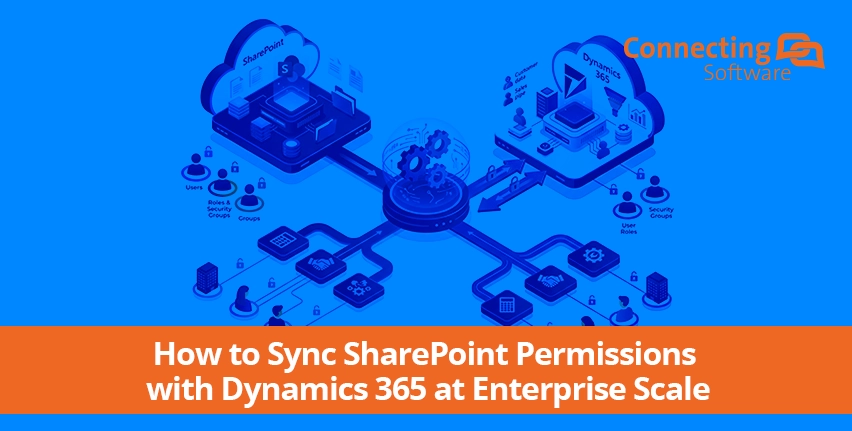
Dynamics 365 and SharePoint do not share a security model. Integrating them for document storage links records to folders, it does not link Dynamics 365 security roles to SharePoint permissions.
The result: a user restricted to their own accounts in Dynamics 365 can open SharePoint directly and see every account's documents in the organization.
For a five-person team, that's an inconvenience. For an enterprise with thousands of users, multiple business units, and GDPR, NIST, HIPAA, or PCI DSS obligations, it's an unmanaged compliance liability sitting inside your document repository right now.
This guide is for the second group. It covers what actually closes this gap at scale, and why the deployment architecture of the tool you choose determines whether the fix holds up past your first hundred users.
Explore the tool for Dynamics 365 and SharePoint Permissions Synchronization
Sync SharePoint Permissions with Dynamics 365
At enterprise scale, syncing SharePoint permissions with Dynamics 365 requires a dedicated replication solution that continuously reads the Dynamics 365 security model, roles, business unit hierarchy, users, and teams, and enforces the equivalent permissions in SharePoint in real time. Manual fixes and Power Automate flows don't hold up past a single entity.
The deciding factor is deployment model, not business unit count, which any solution reads natively from a single instance. The real ceiling is multiple SharePoint sites and multi-tenant environments: Dynamics 365's native connector only supports one default site, and SharePoint must share a tenant with Dynamics 365, so a solution confined to a single CRM instance can't span either without a separate deployment for each.
Why this isn't a CRM-admin-level problem at enterprise scale
Smaller organizations can sometimes get away with manual fixes or a Power Automate flow because the variables are limited: one entity, one business unit, a few dozen users. Enterprises don't have that luxury. You're managing:
- Multiple business units and parent-child hierarchies, where access depends on organizational structure, not just individual roles
- Manager and position-based hierarchy security, which most lightweight sync approaches can't replicate accurately
- Thousands of users and documents, which strains SharePoint's own permission-scope limits if permission structures aren't built to manage them
- Multi-tenant or multi-region environments, where a single CRM-embedded tool has to operate within Dataverse's own resource constraints for every tenant it touches
- Auditable compliance requirements, where "we think permissions are aligned" is not an acceptable answer to a GDPR or NIST audit
- The need to manage all of this continuously, in real time, not through a batch job or scheduled sync that leaves a window between when access changes and when it's actually enforced
Two approaches are commonly proposed for this problem, and neither is built for the above
Manual permission management doesn't scale. Every role change, team reassignment, or new hire requires a corresponding manual update to SharePoint. As soon as more than a handful of people are responsible for making those updates, it stops functioning as a real compliance control. There's no audit trail connecting a CRM change to the SharePoint update it should have triggered, so no one can prove access was ever actually aligned.
Custom Power Automate flows work for a single entity with a simple structure but break down under enterprise conditions: flows run asynchronously, so concurrent permission changes across large user bases can desync; there's no native trigger for team membership changes; and every additional entity or business unit multiplies the custom logic your team has to build, test, and maintain indefinitely. It becomes an internal software project you didn't budget for.
Other solutions in the market, are installed and work directly inside Dynamics 365 as a managed CRM solution, with no alternative deployment path. That's a fair option if your organization runs a single, straightforward Dataverse environment. That's the gap CB Dynamics 365 to SharePoint Permissions Replicator was built too close.
CB Dynamics 365 to SharePoint Permissions Replicator: built for enterprise complexity, not around it
它是如何工作的
- Continuous privilege monitoring. The CB Dynamics 365 to SharePoint Permissions Replicator asks Dynamics 365 for changes to user privileges, teams, security roles, business units, no manual trigger required.
- Automatic translation to SharePoint permissions. When a change is detected, it's automatically synced with the corresponding SharePoint permission structure, using either Active Directory–based mapping or fully custom mapping rules you define.
- Real-time enforcement. The update happens in the background, continuously, regardless of user count, group count, or file volume, no batch jobs, no scheduled catch-up runs required.
- Full audit logging. Every permission change the CB Dynamics 365 to SharePoint Permissions Replicator makes to SharePoint is logged, giving you the auditable trail compliance and IT security teams need to demonstrate access control, not just claim it.
It handles the full range of Dynamics 365 access structures without exception: users, teams, access teams, access team templates, security roles, business units, sharing, privilege depth, and hierarchy of security based on manager or position. This is precisely where lighter, CRM-embedded tools tend to approximate rather than replicate.
Need an implementation process? See this 步骤指南 for your reference.
Why deployment flexibility is the enterprise differentiator
This is the detail that separates a CRM add-on from an enterprise-grade security control:
CB Dynamics 365 to SharePoint Permissions Replicator offers three deployment options:
- self-hosted (on-premises or in a VM)
- on Microsoft Azure,
- as Shared SaaS (hosted in the US or EU) or as a Dedicated SaaS.
That means the architecture adapts to your data residency requirements, your network security policy, and your existing infrastructure investment, instead of you bending your governance model to fit inside a single embedded CRM app. For an enterprise managing multiple tenants, regional data residency rules, or infrastructure standards set by an IT security team (not a CRM admin) – it is not a convenience feature, it's the reason the deployment survives a security review.
What this looks like in practice
- Install once, run forever: No user interaction is required after setup, it runs 24/7 in the background, including through Dynamics 365 and SharePoint version updates.
- Time-saving user mapping: Active Directory integration maps Dynamics 365 users to SharePoint users automatically, with custom mapping available for complex or non-standard scenarios.
- Compliance-ready by design: Built to align with GDPR, NIST, PCI DSS, ISO, and similar frameworks, with the audit trail to prove it during a review.
- Scales with custom folder structures: Paired with SharePoint Structure Creator, it prevents the unique permission-limit problems that hit SharePoint libraries as document volume grows with the organization.
- Multi-tenant ready: Supports multiple tenants by provisioning an app user and permissions per tenant, then running synchronization independently for each, already proven at enterprise scale, with deployments spanning more than 10,000 users across multiple countries.
The enterprise decision framework
|
Your environment |
What actually holds up |
|
Single business unit, under ~20 users |
Manual or basic Power Automate flow, acceptable short-term |
|
One entity, simple hierarchy, dedicated Power Platform team |
Power Automate, with ongoing maintenance overhead |
|
Multiple business units, hierarchy security, compliance obligations |
Dedicated replication tool |
|
Multi-tenant, multi-region, 500+ users, strict data residency requirements |
CB Dynamics 365 to SharePoint Permissions Replicator, deployment flexibility is non-negotiable here. Additionally, it serves all above purposes. |
If your organization sits in the last row, the question isn't whether you need automated 权限 replication, you already know that. The question is whether the solution you choose can be deployed the way your infrastructure and compliance requirements demand, or whether you'll be re-architecting your security review around a tool's limitations instead of the other way around.
See it in action
View how CB Dynamics 365 to SharePoint permissions Replicator works
常见的问题
Does Dynamics 365 automatically sync permissions with SharePoint?
Why doesn't Power Automate hold up for enterprise permission syncing?
Why does deployment flexibility matter for enterprise permission replication?
Can CB Dynamics 365 to SharePoint Permissions Replicator handle complex business unit hierarchies?
Is it suitable for multi-tenant environments?
What happens to SharePoint permissions if the CB Dynamics 365 to SharePoint Permissions Replicator is uninstalled?
More on Dynamics and SharePoint Integration
关于作者