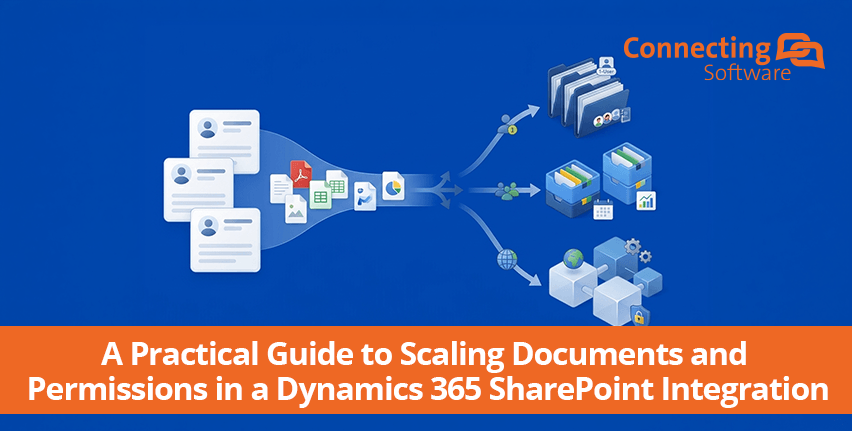
The right Dynamics 365–SharePoint structure is more than a folder tree
Connecting Dynamics 365 to SharePoint gives users a practical way to store and access documents associated with CRM records. But once an organization grows, the more important question is no longer whether the two systems are connected.
It is how the SharePoint document architecture can scale.
- Should documents stay in one large library?
- Should they be separated by business unit, region or time period?
- When does a folder make sense, and when is a separate document library or site a better boundary?
- And how should permissions be designed so that security requirements do not create unnecessary administrative complexity?
This guide focuses specifically on SharePoint Online, as used in Dynamics 365 / Power Platform integrations. It explains the standard Dynamics 365–SharePoint model, the difference between folders and unique permission scopes, the SharePoint limits that matter, and practical architecture patterns you can evaluate before your environment becomes difficult to restructure.
What is the best Dynamics 365 SharePoint folder structure?
There is no universal folder structure that is best for every Dynamics 365 implementation. The right architecture depends on document volume, business ownership, security boundaries, navigation needs, and expected growth.
- Use the standard record-oriented structure when users primarily find documents through Dynamics 365 records and permissions can remain largely inherited.
- Use additional libraries or sites when there is a meaningful business, administrative, geographic, lifecycle, or security boundary.
- Use stable rules such as region, business unit, time period, alphabetical range, or source-system fields when content needs to be distributed systematically.
- Keep permissions inherited wherever possible. Do not create unique permissions simply because a folder exists.
- Plan the architecture for expected growth, not only today's record and document count.
How Dynamics 365 and SharePoint organize documents
The standard Dynamics 365 SharePoint document management integration is built around CRM records. Users can access documents associated with records such as Accounts, Contacts and other supported entities, while SharePoint provides the underlying document repository.
This approach is intuitive because the document location follows the CRM relationship. For many organizations, it can work well without extensive customization. The architecture question appears when the organization grows or when its business structure does not map neatly to a single record-based SharePoint hierarchy.
First, understand the five concepts that are often confused
Documents: The actual files stored in SharePoint.
Folders: Containers used to organize content. By default, a folder inherits permissions from its parent, but inheritance can be broken.
Document libraries: SharePoint containers that hold documents, folders and their associated permissions/settings.
Unique permission scopes: Security scopes created when an item stops inheriting permissions and receives a different permission set.
List View Threshold: A separate SharePoint concept from the unique-permission guidance, Microsoft's own guidance on the List View Threshold explains it separately. Do not treat the two 5,000 figures as the same limit.
The 5,000 vs. 50,000 unique-permission numbers
Microsoft states that the supported limit for unique permission scopes in a SharePoint list or library is 50,000. However, Microsoft recommends keeping the number of unique permission scopes to 5,000 or fewer because operations involving more than 5,000 uniquely permitted items, such as permission checks, list views, and security-related queries, can take longer to process, as documented in Microsoft's SharePoint Online service description.
This is an important distinction: 5,000 is not a hard maximum, and it is not the same as saying that SharePoint can contain only 5,000 documents or folders.
A folder also does not automatically create a unique permission scope. If it inherits permissions from its parent, it is not a separate unique security scope. A unique scope is created when inheritance is broken.
Why this matters for a Dynamics 365 integration
Dynamics 365 environments can accumulate large numbers of customers, cases, projects, contracts, and other records. As the number of records and documents increases, organizations may also introduce more granular access requirements.
For example, a business may want regional teams to see regional documents, legal teams to access contracts, or project teams to access only project-specific content. If those requirements are implemented through large numbers of individual permission breaks in one library, the number of unique permission scopes can become an architectural concern.
The solution is not simply to create more folders. The goal is to design meaningful content and security boundaries, keep inheritance wherever practical, and distribute content when there is a clear reason to do so. Where the requirement is specifically to mirror Dynamics 365 security roles and record-level access in SharePoint, that is a permissions-sync problem best handled by a dedicated tool such as Permissions Replicator, rather than by hand-managing unique permission scopes.
A practical decision framework: folders vs. libraries vs. sites
|
If your requirement is... |
Consider... |
Perché |
|
Users primarily navigate through Dynamics 365 records |
Record-oriented folders |
Simple and familiar for CRM users. |
|
Content needs a logical sub-group but shares the same security model |
Cartelle |
Keeps related content together without necessarily creating a new permission scope. |
|
Different business units need clear administration or ownership |
Separate libraries |
Creates a clearer management boundary. |
|
Regions or countries operate as distinct information populations |
Libraries or sites |
Can align content administration with organizational boundaries. |
|
Content naturally grows by year, quarter or another period |
Time-based libraries or rule-based distribution |
Provides a predictable scaling rule. |
|
A library is accumulating many unique permission scopes |
Review distribution across libraries/sites |
Can prevent excessive concentration of unique scopes in one location. |
|
Security differs for individual items |
Review permission model before implementing |
Individual permission breaks can increase unique scopes and administration. |
Six architecture patterns to consider
1. Standard record-oriented structure:
Best when users find documents through Dynamics 365 and most content can use inherited permissions. This is usually the simplest starting point.
2. Business-unit structure
Documents are distributed according to a stable business attribute such as business unit or division. This can make ownership and administration clearer.
3. Regional structure
Documents are distributed by geography where regional teams have meaningful operational or access boundaries.
4. Time-based structure
Documents are distributed by year, quarter, month or another period when document growth naturally follows time.
5. Alphabetical distribution
Documents can be distributed by alphabetical ranges when the source record has a stable name-based attribute and the organization needs predictable distribution.
6. Rule-based combined structure
Multiple criteria can be combined when a single folder hierarchy cannot provide the desired organization. The rules should remain understandable and stable enough to administer.
Example: when one large library becomes an architecture question
Consider an enterprise with a rapidly growing Dynamics 365 customer base. It begins with a simple record-oriented SharePoint structure. Over time, the company adds multiple regions, business teams and more granular security requirements.
At this point, administrators should ask:
- Can most users continue to work with inherited permissions?
- Are security boundaries aligned with existing teams or business units?
- Is one library serving unrelated populations?
- Are unique permission scopes being created unnecessarily?
- Would distributing documents according to a stable business rule make administration easier?
If the answer to several of these questions is yes, the organization may benefit from a more deliberate distribution strategy. The next section walks through what that looks like in practice.
What should you avoid?
- Creating a unique permission for every customer, case or document without a clear security requirement.
- Assuming that every folder creates a unique permission scope.
- Treating 5,000 as a hard SharePoint document or folder limit.
- Confusing the unique-permission recommendation with the separate List View Threshold.
- Adding libraries or sites purely to make the architecture look more distributed.
- Building rules around attributes that are likely to change frequently.
- Designing only for the current number of Dynamics 365 records.
Which Dynamics 365 SharePoint structure should you choose?
Use the business requirement, not the size of the folder tree, as the starting point. Walk through the questions above, map them against your growth timeline, and let the answers, not a template, define the structure.
|
Il tuo ambiente |
A reasonable starting point |
Perché |
|
Small or mid-sized environment; users mainly work from Dynamics 365 |
Standard record-oriented structure |
Keeps the experience simple and avoids unnecessary architecture. |
|
Multiple business units with distinct ownership |
Business-unit libraries with record-based organization |
Creates clearer administrative boundaries while preserving CRM context. |
|
Regional teams have distinct operating or access boundaries |
Regional libraries or sites |
Aligns SharePoint structure with a meaningful business boundary. |
|
Documents grow predictably by year or another period |
Time-based libraries or rule-based distribution |
Creates a repeatable scaling rule. |
|
One library is accumulating many unique permission scopes |
Review distribution across libraries/sites |
Can reduce concentration of unique scopes in a single location when the business boundary supports it. |
|
Security requirements are highly granular |
Review the permission model before restructuring |
More libraries alone do not solve unnecessary item-level permission breaks. |
A concrete architecture example
Imagine an enterprise with Dynamics 365 as its CRM system, thousands of active customer records, several regional teams, and documents that need to remain accessible to the appropriate regional users.
A simple record-oriented model might look like:
SharePoint site → Customers → Account A → Documents
SharePoint site → Customers → Account B → Documents
SharePoint site → Customers → Account C → Documents
That may be perfectly reasonable if the access model is shared and permissions remain largely inherited.
If regions are genuine business or administrative boundaries, another architecture could be:
North America Library → Account A → Documents
North America Library → Account B → Documents
Europe Library → Account A → Documents
Europe Library → Account B → Documents
The important point is not that the second structure is automatically better. It is that the regional split has a defined reason: it aligns content with a meaningful business boundary. The same principle could apply to business unit, lifecycle, time period, or another stable source-system attribute.
Do not introduce another library simply because a library is large. Introduce a new container when it improves information architecture, administration, governance, security, or scalability.
Before you change your structure, ask these questions:
How and what are users actually searching for: the CRM record, a business unit, a region, a project, or a time period?
Which groups need access to which documents?
Where can SharePoint permissions remain inherited?
Which source-system fields are stable enough to drive distribution rules?
Would a folder be sufficient, or is a separate library/site a meaningful boundary?
What will the structure look like when the number of records and documents is several times larger?
Who will own and administer each library or site?
Can the structure be automated consistently as new Dynamics 365 records and documents are created?
How SharePoint Structure Creator fits into this architecture
Once an organization has decided that its documents need to be distributed according to defined rules, the next challenge is implementing those rules consistently.
Connecting Software's SharePoint Structure Creator is designed for rule-based SharePoint document organization. It can create or select document libraries based on rules and distribute documents across multiple libraries, SharePoint sites and site collections.
Supported approaches include distribution by alphabetical range, time period, record, source-system field values, or combinations of rules. The product also supports custom scripting with LUA for more complex scenarios.
This is particularly relevant when the standard Dynamics 365 SharePoint structure does not align with the organization’s preferred information architecture, or when content needs to be distributed systematically as the environment grows.
Connecting Software also positions SharePoint Structure Creator as a way to help prevent a SharePoint environment from reaching its unique-permission limit. The technically important point is that SharePoint Structure Creator does not eliminate unique permissions. Instead, rule-based distribution can help avoid concentrating too many unique permission scopes in a single library or location.
A simple implementation approach
These steps can be done manually, but they're also exactly what SharePoint Structure Creator is built to automate once you've defined your rules.
Step 1: Map the Dynamics 365 records: Identify which entities generate documents and estimate current and future document volume.
Step 2: Map the access model: Document who needs access and identify where permissions can remain inherited.
Step 3: Identify natural boundaries: Look for stable boundaries such as business unit, region, lifecycle, record type or time period.
Step 4: Choose the container: Decide whether each boundary needs a folder, library, site or no separate boundary at all.
Step 5: Define the distribution rule: Write the rule in a way an administrator can understand and maintain.
Step 6: Test at realistic scale: Test document creation, navigation, permissions and administration using representative volumes.
Step 7: Monitor and adjust: Review unique permission scopes, administrative overhead and user experience as the environment grows.
When should you consider a rule-based structure?
A rule-based approach becomes more compelling when your organization has predictable growth, multiple business populations, complex document ownership, or a need to distribute content across multiple SharePoint locations. It also becomes relevant simply as document volume grows once a library holds a large number of documents, a rule-based structure makes it easier for users to find what they need and for administrators to keep storage predictable and organized.
It is less useful to introduce complexity simply because a company has many documents without a navigation or ownership problem to solve. If a straightforward inherited-permission structure works well for users and administrators, there may be no reason to replace it.
Scopri come funziona il Replicator per le autorizzazioni da CB Dynamics 365 a SharePoint
FAQ: Dynamics 365 SharePoint integration folder structure
What is the default Dynamics 365 SharePoint folder structure?
What is the SharePoint unique permissions limit?
Does every SharePoint folder create a unique permission?
Is 5,000 the maximum number of SharePoint folders?
Should I create a separate SharePoint library for every Dynamics 365 account?
Can Dynamics 365 documents be distributed across multiple SharePoint libraries?
Does SharePoint Structure Creator remove unique permissions?
What is the best Dynamics 365 SharePoint folder structure?
Ulteriori informazioni su Dynamics e sull'integrazione con SharePoint
Guida pratica alla scalabilità dei documenti e delle autorizzazioni in un’integrazione Dynamics 365 e SharePoint
5 errori comuni nella gestione dei documenti Dynamics 365–SharePoint (e come evitarli)
Autorizzazioni di integrazione Dynamics 365 e SharePoint: cosa serve agli amministratori e agli utenti