
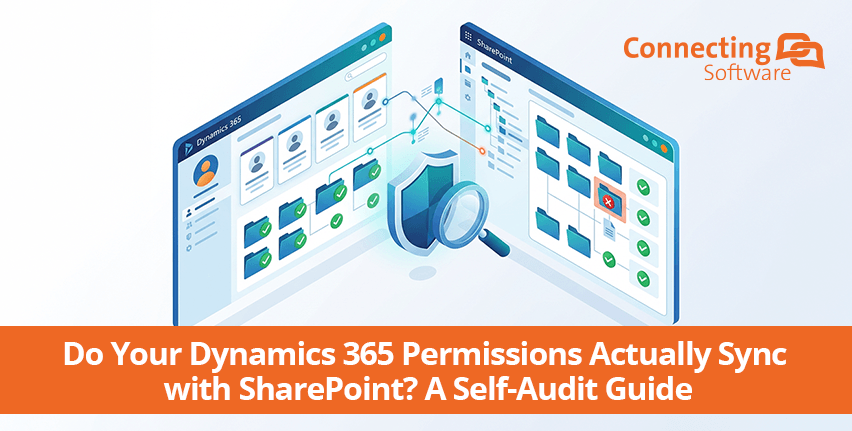
Als iemand uit je team een deal, een case of een account niet kan zien in Dynamics 365, kan die persoon dan toch het bijbehorende document openen in SharePoint?
De meeste organisaties gaan ervan uit dat het antwoord ‘nee’ is. Maar voor teams die SharePoint gebruiken als documentopslag voor Dynamics 365, is het antwoord vaak ‘ja’, en ze ontdekken deze lacune meestal pas tijdens een audit, bij het beëindigen van een dienstverband of bij een incident waarbij gegevens openbaar zijn gekomen.
In deze handleiding wordt uitgelegd hoe u uw eigen omgeving kunt controleren, wat de kosten van een eventuele tekortkoming zijn en waar u op moet letten bij het zoeken naar een oplossing die deze tekortkoming op de juiste manier verhelpt.
Ontdek de tool voor het synchroniseren van machtigingen voor Dynamics 365 en SharePoint
Wat "Het synchroniseren van SharePoint-machtigingen met Dynamics 365" eigenlijk betekent
Dynamics 365 en SharePoint elk heeft zijn eigen, afzonderlijke beveiligingssysteem. Dynamics 365 bepaalt wie wat mag zien aan de hand van beveiligingsrollen, hiërarchieën van bedrijfsonderdelen, eigendom en het delen van records. SharePoint regelt de toegang via eigen machtigingen voor sites, bibliotheken en mappen.
Wanneer Dynamics 365 wordt geïntegreerd met SharePoint voor documentopslag, worden bestanden verplaatst naar SharePoint-bibliotheken, maar de machtigingslogica die in Dynamics 365 voor deze bestanden geldt, wordt niet automatisch overgedragen. Het "synchroniseren" van machtigingen houdt in dat ervoor zorgen dat deze twee afzonderlijke systemen voortdurend op elkaar zijn afgestemd, zodat de toegang van een gebruiker tot een document in SharePoint altijd overeenkomt met zijn of haar toegang tot het bijbehorende record in Dynamics 365, ook al veranderen rollen, teams en eigendomsverhoudingen.
Zelfcontrole: 6 tekenen dat er een tekort aan machtigingen is
Probeer deze eens uit in je eigen omgeving. Voor de meeste vragen heb je geen IT nodig om ze te beantwoorden.
-
Een gebruiker zonder toegang tot het CRM-systeem kan het bestand nog steeds openen in SharePoint.
Kies een willekeurig record dat een bepaalde gebruiker niet kan zien in Dynamics 365 en controleer vervolgens of hij of zij de bijbehorende map in SharePoint rechtstreeks kan openen. Als dat het geval is, is er sprake van een lacune.
-
Een gedeactiveerde gebruiker in CRM heeft nog steeds toegang tot documenten.
Het deactiveren van een gebruiker in Dynamics 365 leidt niet tot het intrekken van diens SharePoint-toegangsrechten, tenzij die verbinding actief door iets of iemand wordt beheerd.
-
Een bedrijfsonderdeel werd gereorganiseerd, maar de machtigingen voor de mappen bleven ongewijzigd.
Als teams het afgelopen jaar zijn gereorganiseerd, samengevoegd of opnieuw zijn ingedeeld en niemand SharePoint dienovereenkomstig heeft bijgewerkt, zijn de machtigingen al verouderd.
-
Niemand kan met zekerheid zeggen wie toegang heeft tot de dossiers van een bepaalde klant.
Als je voor het beantwoorden van die vraag handmatig moet controleren of iemand lid is van de groep SharePoint, dan heb je geen synchronisatie, maar een momentopname van het moment waarop deze voor het laatst is ingesteld.
-
Bij een nalevings- of beveiligingscontrole werd de toegang tot SharePoint aangemerkt als "niet verifieerbaar"."
Dit is een van de meest voorkomende bevindingen bij AVG- en algemene data-governance-audits bij organisaties die D365 met SharePoint gebruiken.
-
De SharePoint-machtigingen die er zijn, zijn eenmalig handmatig ingesteld en daarna nooit meer aangepast.
De native Dynamics 365–SharePoint-integratie configureert de machtigingen voor SharePoint helemaal niet; het verplaatst alleen documenten. Elke toegangsstructuur die momenteel bestaat, is vrijwel zeker handmatig door IT ingesteld bij de implementatie en is sindsdien onveranderd gebleven, ook al zijn de CRM-rollen, teams en eigendomsverhoudingen voortdurend veranderd.
Als je bij de bovenstaande zelfcontrole twee of meer punten hebt aangevinkt, is het de moeite waard om actie te ondernemen om deze tekortkoming aan te pakken.
Klaar om het op je eigen systeem uit te proberen? Begin een gratis 15 dagen proberen of boek een demo met onze specialist.
Wat de gebrekkige synchronisatie van de Dynamics 365 CRM-machtigingen met SharePoint u daadwerkelijk kost
Het directe risico is duidelijk: gebruikers zien documenten, contracten, financiële gegevens en persoonsgegevens die gekoppeld zijn aan records waartoe zij in het CRM geen legitieme toegang hebben. Voor sectoren die onder regelgeving vallen, betekent dit een direct risico in verband met de AVG of gegevensbeheer, en niet alleen maar een interne ongemakkelijke situatie.
De echte kosten komen pas aan het licht tijdens een audit of bij de afhandeling van een incident, wanneer de situatie "we kunnen niet vaststellen wie toegang had tot dit bestand" veel erger is dan wanneer we daar wel een antwoord op hebben. En omdat deze kloof stilletjes groter wordt naarmate rollen en teams veranderen, is het risico op elk willekeurig moment doorgaans groter dan degene die de integratie oorspronkelijk heeft opgezet, had aangenomen.
Uw mogelijkheden om de kloof te dichten
Er zijn vier concrete wegen die organisaties in dit verband kunnen inslaan:
- Doe niets. Dat komt vaak voor, maar het risico neemt toe telkens wanneer er een verandering plaatsvindt in een functie, een team of de eigendomsverhoudingen, en dit is het moeilijkst te verdedigen bij een audit.
- Beheer de machtigingen voor SharePoint handmatig. Op kleine schaal werkt het wel, maar zodra je te maken hebt met meer dan een handvol gebruikers, groepen of bedrijfsonderdelen, houdt het geen stand: de updates lopen vrijwel onmiddellijk achter op de werkelijkheid.
- Maatwerkautomatisering ontwikkelen (bijv. Power Automate-scripts). Dat is mogelijk, maar het betekent wel dat je voor elk machtigingsscenario, elke beveiligingsrol en elke cascade-regel aangepaste logica moet ontwikkelen en onderhouden, evenals de hiërarchie van de bedrijfsonderdelen, en dat je dit telkens opnieuw moet bekijken wanneer Microsoft een van beide platforms wijzigt.
- Gebruik een speciale kant-en-klare oplossing. Speciaal hiervoor ontwikkelde tools regelen dit continu en automatisch, zonder dat uw team aangepaste logica hoeft te onderhouden of machtigingen handmatig hoeft af te stemmen.
Geen van deze opties is automatisch de "juiste” keuze; het hangt af van de omvang van je organisatie, je risicotolerantie en je interne capaciteit. Maar voor elke organisatie met meer dan enkele tientallen gebruikers zullen de eerste twee opties na verloop van tijd stilletjes mislukken, en brengt de derde optie doorlopende onderhoudskosten met zich mee die de meeste teams onderschatten.
Heb je een implementatieproces nodig? Kijk dan hier stapsgewijze handleiding ter informatie.
Waar u op moet letten bij een Dynamics 365 CRM- en SharePoint-oplossing voor het synchroniseren van machtigingen
Als je een gespecialiseerde tool aan het beoordelen bent, zijn dit de criteria die het verschil maken tussen een echte oplossing en een gedeeltelijke oplossing:
Worden de machtigingen meteen bijgewerkt zodra er iets verandert in Dynamics 365, of moet ik wachten tot de geplande synchronisatie plaatsvindt?
Een betrouwbare synchronisatieoplossing werkt de toegang in SharePoint in realtime bij, zodra er in Dynamics 365 een wijziging plaatsvindt in een rol, team of eigendom, en niet via een batchverwerking of volgens een vast tijdschema.
Zal het daadwerkelijk mijn volledige beveiligingsmodel omvatten, of gaat het alleen om een basisroltoewijzing?
Een complete oplossing bootst het volledige beveiligingsmodel na: beveiligingsrollen, de hiërarchie van de bedrijfsonderdelen, het cascade-gedrag, de hiërarchie van leidinggevenden en functies, en het delen van gegevens, en niet alleen de rollen op het hoogste niveau.
Kan ik dit zo implementeren zoals mijn organisatie dat daadwerkelijk nodig heeft?
Ja, als de oplossing zowel zelfgehoste, Azure- als SaaS-implementaties ondersteunt. Tools die uitsluitend online beschikbaar zijn, zijn niet geschikt voor organisaties met vereisten inzake gegevensopslaglocatie of met een infrastructuur die buiten de standaard cloudopstelling van Microsoft valt.
Werkt het met de versie van Dynamics CRM die ik momenteel gebruik, inclusief oudere on-premises-installaties?
Alleen als het naast Dynamics 365 Online ook expliciet oudere on-premises versies van Dynamics CRM ondersteunt; veel synchronisatietools werken namelijk alleen met de Online-versie.
Zal dit de beperkingen op het gebied van machtigingen bij SharePoint oplossen, of loop ik daar later toch weer tegen aan?
Een complete oplossing biedt een oplossing voor de limiet van ongeveer 50.000 unieke machtigingsgebieden in SharePoint door middel van geautomatiseerde mappenstructurering, en niet alleen door het repliceren van machtigingen.
Voldoet het aan de nalevingscertificeringen en het audittraject die mijn organisatie nodig heeft?
Let op certificeringen die relevant zijn voor uw sector, naleving van ISO en de AVG, en waar van toepassing GCC High / Azure Government, plus een bruikbaar audittraject van elke wijziging in de toegangsrechten.
Hoe CB Dynamics 365 to SharePoint Permissions Replicator aan deze criteria voldoet
|
Criterium |
Hoe dit wordt afgehandeld |
|
Realtime synchronisatie |
Houdt Dynamics 365 continu in de gaten en past wijzigingen in de machtigingen automatisch toe op SharePoint, zonder dat er handmatige tussenkomst nodig is. |
|
Volledige dekking van het beveiligingsmodel |
Kopieert beveiligingsrollen, de hiërarchie van de bedrijfsonderdelen, het cascade-gedrag, de hiërarchie van managers en functies, teams en het delen van gegevens — het volledige schema, geen deelverzameling. |
|
Flexibiliteit bij de implementatie |
Verkrijgbaar als zelfgehoste oplossing, op Microsoft Azure of als Connecting Software SaaS (EU of VS). |
|
Ondersteuning voor oudere CRM-versies |
Ondersteunt Dynamics CRM 2013, 2015 en 2016 (on-premises) tot en met Dynamics 365 Online, Sales, Customer Service en Field Service. |
|
Beperkingen van het toepassingsgebied van machtigingen |
Wordt gecombineerd met SharePoint Structure Creator om documenten te verdelen over een op regels gebaseerde mappenstructuur, waardoor de limiet van 50.000 wordt omzeild. |
|
Certificering en auditlogboekregistratie |
Gecertificeerd voor GCC High / Azure Government en volgens ISO 9001:2015 en ISO 27001:2022, ontwikkeld om aan de AVG-conforme vereisten te voldoen, met volledige registratie van wijzigingen in machtigingen ten behoeve van nalevingscontroles. |
Bekijk het in actie
Bekijk hoe de Replicator voor de machtigingen van CB Dynamics 365 tot en met SharePoint werkt