
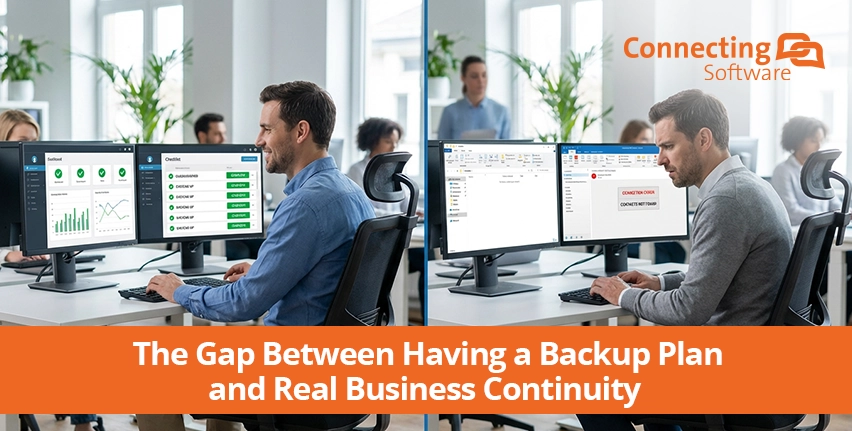
Organizations that rely on continuous operations do not lack business continuity plans. This is especially true in emergency response and critical infrastructure, where organizations like cities and energy providers have invested heavily in secondary environments, defined failover procedures, and tested access, logins, and system availability.
On paper, everything works.
Most business continuity plans fail in an unexpected way: secondary systems are available, but operations still stop. Users need more than the system to be available. They need their contacts, their emails, their files. That's why standby environments need more than availability. They need continuous, automatic, and governed synchronization across communication and document systems.
A hot standby environment with contacts, emails, and files ready from the first login
CB Exchange Server Sync and Secure Sync for Google Drive and SharePoint ensure real business continuity
Is Your Continuity Plan Ready?
Most continuity plans are designed and tested around system recovery. But restoring access is not the same as restoring operations. Your continuity plan is only ready when you ensure users will be able to work with the data and context they rely on.
This means making sure critical information like up-to-date contact lists, shared files, calendars, and recent communications moves to the standby environment, not just user accounts and generic access. If that is missing, even a successful failover exposes a critical gap between system availability and real operational continuity.
The July 2024 global IT outage and its effect on Delta Airlines illustrate this gap clearly. Delta Air Lines had contingency procedures in place and began restoring systems, but disruptions continued for days, unlike their competitors, because operations could still not be executed.
During the same incident, emergency and healthcare organizations worldwide also faced disruption, with hospitals delaying procedures and emergency services reverting to manual processes as staff temporarily lost access to the systems and information they depend on. No broadly verified fatalities have been officially linked to the July 2024 outage, but it materially disrupted healthcare and emergency systems where delays can carry life-safety consequences.
The key aspect for any service, and even more so for emergency response and critical services, is operational continuity.
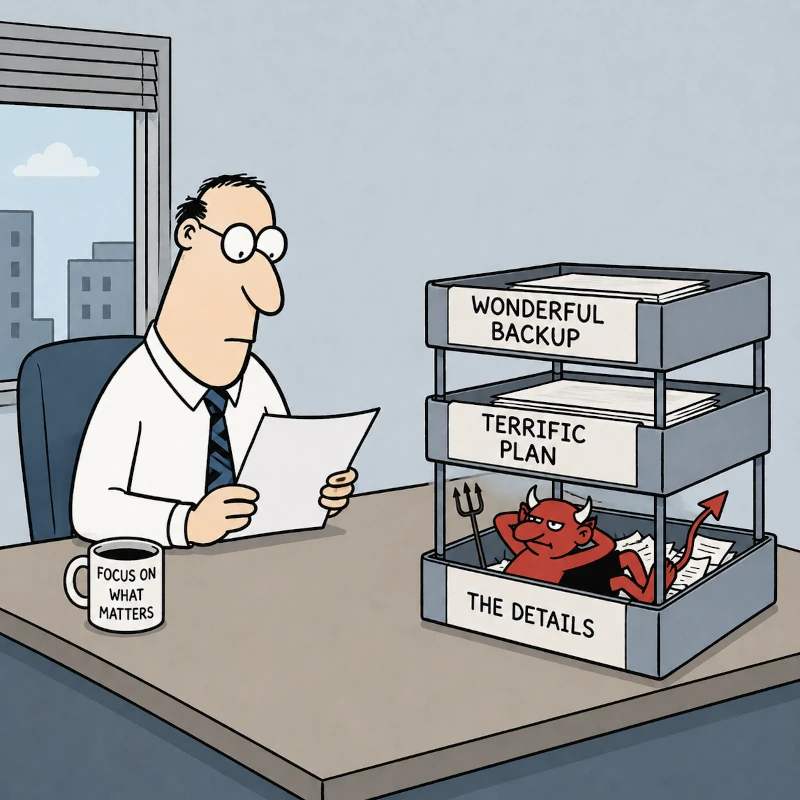
Having a backup plan and restoring systems is only the starting point. As the old saying goes, the devil lies in the details.
Under real conditions, people need to keep working without delay, and that means the right documents, data, permissions, and workflows must be immediately available to the right people at the right time.
Without that level of readiness, a clean recovery on paper can still mean chaos on the ground.
What Actually Makes a Standby Environment Usable
Having a secondary environment ready is a starting point, not a finish line. What determines whether that environment is usable on day one is whether all your users’ essential information is already in place and kept current using a sync layer.
This applies whether users are at headquarters, in distributed control centers, or operating from remote and mobile locations. Every point of access must be able to reach up-to-date, authoritative data available from the first moment of a switchover.
Three requirements define a sync layer that ensures such access and holds up continuity:
- In sync
Hot standby environments require an automatic, persistent sync. If data and documents are only replicated on a set schedule (for example, once a day), or triggered manually, they may be stale or missing exactly when you need them most. - Complete
A partial sync creates partial continuity. Make sure the sync includes everything the team needs: - Email history, with full thread context
- Calendar data and shared scheduling
- Shared folder structures and document libraries that reflect the current state of operations
- Governed
To ensure operational integrity, your sync layer must: - Maintain regulatory compliance — Does it uphold CJIS, NERC, HIPAA, or other applicable standards?
- Preserve security structures — Sync must protect existing role-based access controls, not flatten them.
- Support multi-agency access (where required) — Retain the established sharing model so information flows appropriately across organizations.
The following two sections look at how these requirements translate into practice: for communications infrastructure built on Exchange, and for the document layer that connects SharePoint to a cloud-based hot standby environment.
Keeping Communication Alive: Exchange Server Sync
When a disruption hits, the communication infrastructure is the first thing response teams reach for. Contacts, email, and shared calendars are part of the operational backbone of crisis coordination.
CB Exchange Server Sync for Google Workspace ensures that when users log into the standby or continuity environment, they don't start from zero. Their mailboxes are already there. Conversations have context. Coordination can continue rather than restart.
Two capabilities make this possible in practice:
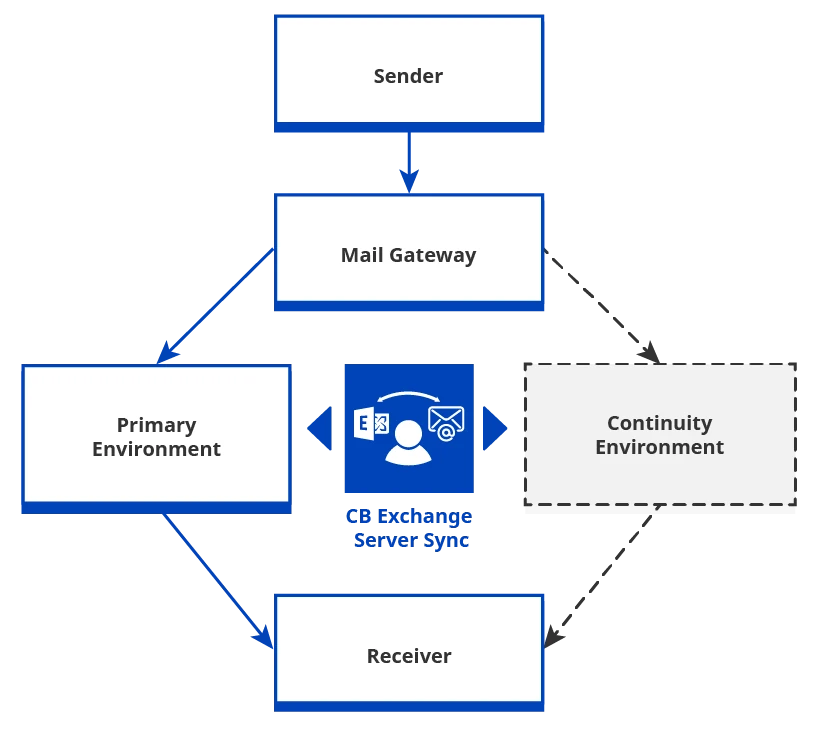
- Bidirectional sync ensures that from the moment users switch over, the hot standby environment is fully operational. Messages are current. Contacts are intact — field coordinators, external agencies, utility operators, on-call technical staff — exactly as they were before the disruption. Any changes made during the incident are automatically synchronized back to the primary environment as soon as it becomes available again.
- No restore needed thanks to the continuous sync and adjustments done in the mail gateway. There is no recovery window and no point-in-time snapshot to load. The hot standby environment reflects the state of the primary environment mailboxes as they were before the incident. When that primary environment becomes available again, it will reflect the changes made in the secondary environment, as they are synchronized back automatically.
 (opens in a new tab)
CB Exchange Server Sync in Business Continuity - Architecture Diagram
|
In practice! |
|
A regional energy provider operating across multiple sites uses Exchange Server Sync to maintain a live mirror of its operational Exchange Server mailboxes in its hot standby environment (Google Workspace). During a ransomware incident that took its primary mail infrastructure offline, incident coordinators switched environments and continued working without interruption. Contact lists, ongoing threads, and scheduled meetings were all intact. |
A hot standby environment with contacts, emails, and calendar ready from the first login
Exchange Server Sync for Google Workspace ensures real business continuity
Keeping Documents Available: Secure Sync for Google Drive and SharePoint
During an incident, response teams don't just need to communicate. They need to act. That means accessing documents like response plans, infrastructure maps, vendor contracts, radio channel assignments, last-known status updates, and escalation procedures. If the primary environment where those documents live is SharePoint and the standby or continuity environment runs on Google Drive, those files need to already be on Google Drive before anyone needs them. You don’t want to have to retrieve, migrate, or request them from IT under pressure.
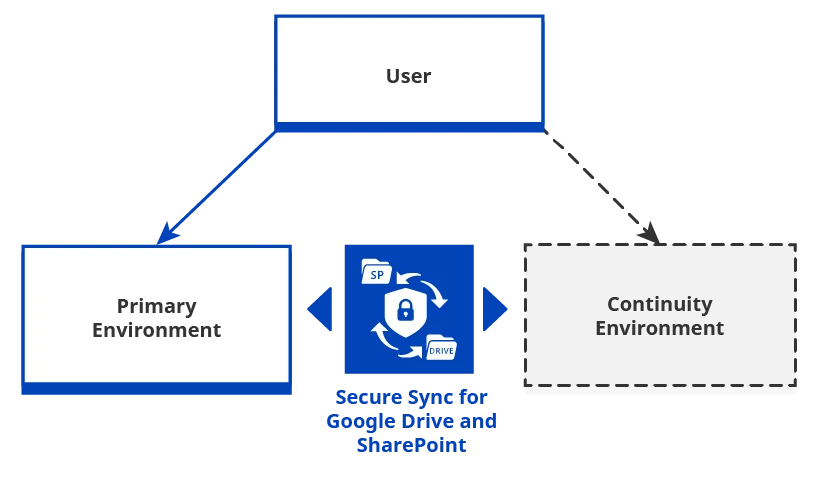
Secure Sync for SharePoint and Google Drive creates a continuous synchronization, so that when the primary environment becomes unreachable, files are already on the other side.
The key capabilities for business continuity are:
- Zero downtime access. Files are not migrated during a disruption. They are already present in Google Drive and synchronized in advance.
- Selective sync with filters. If you don’t believe everything in SharePoint belongs in the hot standby environment, you can use granular filtering so that only operationally relevant files are mirrored. You can set up filters based on start date, file name, file type, and other criteria.
- Sensitive data handling. Permissions and access controls are preserved through the sync process. Files don't arrive in the hot standby environment stripped of their governance structure.
 (opens in a new tab)
Secure Sync for Google Drive and SharePoint in Business Continuity - Architecture Diagram
|
In practice! |
|
A city emergency management team relies on Secure Sync to keep its crisis documentation current in its hot standby environment. During a prolonged network outage affecting its primary systems, field coordinators accessed up-to-date incident response protocols and contact directories through Google Drive without any manual intervention or IT support. |
A hot standby environment with all files, folders, and metadata ready from the first login
Secure Sync for Google Drive and SharePoint enables real business continuity
How to Validate Your BCP Actually Works
Most organizations test whether their standby environment can be accessed. Fewer test whether it can actually be used. A meaningful validation covers three questions:
- Can users log in? This is the baseline. It confirms that the technical environment is reachable, but it says nothing about whether the people who just logged in can actually do their jobs.
- Can they access contacts, emails, and calendars as they were the day before? This tests the communications layer and the quality of ongoing sync.
- Can they open critical documents with correct permissions? This tests whether the document layer is current, complete, and properly governed.
Unless the answer is yes to all three, the continuity plan is not ready. These tests should be run regularly — not just at initial deployment — because sync quality can degrade silently over time as primary systems change.
Conclusion
Business continuity is much more than switching systems. It is about preserving the ability to work, coordinate, and deliver services under pressure. Think of the technical environment as being only the container. What fills it determines whether continuity is real or theoretical.
CB Exchange Server Sync for Google Workspace and Secure Sync for SharePoint and Google Drive are built around that distinction. They sit at the layer where most BCP plans have an unexamined gap: between a secondary environment that is technically available and one that is operationally ready.
For cities, energy providers, and any organization where downtime has consequences beyond a balance sheet, that gap is worth closing. Before the next incident, not during it.
Keep on reading about Business Continuity & Data Control
About the Author

By Ana Neto, technical advisor at Connecting Software.
“I have been a software engineer since 1997, with a more recent love for writing and public speaking. Do you have any questions or comments about this article? I would love to have your feedback, leave a comment below!"
